
Let’s be honest — waking up with a dead smartwatch can ruin your morning routine. You rely on it for steps, messages, heart rate tracking, and more. But here’s the question a lot of people have:
Is it really safe to charge your smartwatch overnight?
In this complete guide, we’ll walk through everything you need to know:
- Is it safe or harmful to leave it on charge all night?
- How to charge smart watches the right way
- Tips to protect battery health
- Myths you should ignore
Whether you’re new to smartwatches or just got your first one, this article will make it simple to understand — in plain, everyday English.
What Happens When You Charge a Smart Watch Overnight?
Charging overnight might sound convenient, but does it hurt the battery?
Smart Charging Technology Has Improved
Newer smartwatches, like Apple Watch, Samsung Galaxy Watch, Fitbit, and Garmin, are already built in with smart charging chips. These chips can sense when the battery is fully charged and prevent further charging. So yes, it’s perfectly safe to charge your smartwatch overnight.
However, there are some key things to keep in mind, which we’ll explore next.
Pros and Cons of Charging Smart Watch Overnight
| Pros | Cons |
| Wake up to a full battery | Battery might heat up slightly |
| No mid-day charging hassle | Minor wear over long term use |
| Convenient during sleep | Can reduce battery cycles (slowly) |
Is It Bad to Charge Your Smart Watch Overnight?
Not really. But you do need to be aware of a few things.
It’s Safe… If You Follow Good Habits
- Use the official charger
- Keep it in a cool, dry place
- Avoid charging under your pillow or on soft beds (causes heat)
It’s Risky… If You Use Cheap Chargers
- Cheap chargers often don’t stop power flow
- Can cause overheating or damage
- May void your warranty
So in short: The risk is not from charging overnight, but how and where you do it.
How to Charge Your Smart Watch Overnight (Safely)
Let’s break it down step by step.
Step 1: Use the Right Charger
Always use the original cable or a certified replacement. This ensures proper voltage control.
Step 2: Pick a Safe Spot
- Place your smartwatch on a flat surface
- Avoid covering it with clothes or bedsheets
- Don’t place it near heat or water
Step 3: Plug It In Before Bed
- Most smartwatches take 1–2 hours to fully charge
- Even if you sleep 6–8 hours, the watch will stop charging after 100%
Step 4: Unplug in the Morning (Optional)
If your charger doesn’t have smart cut-off, unplug manually to reduce wear.
Tips to Maintain Smart Watch Battery Health Long-Term
- Don’t Let Battery Hit 0% Often
Try charging at 20–30% instead of letting it fully drain. - Avoid Charging to 100% All the Time
Stopping around 90–95% occasionally helps preserve battery cycles. - Keep Away from Heat
High temperature = faster battery wear. - Update Software Regularly
Battery optimization improves with new updates. - Use Power-Saving Mode Overnight
If you wear your watch during sleep, activate low power mode.
Common Charging Mistakes to Avoid at Night
- Charging with a wet or sweaty band
- Charging near the edge of a table (can fall)
- Using third-party fast chargers
- Covering the device while it charges
- Leaving it on metal surfaces (can overheat)
Can You Wear a Smart Watch While Charging Overnight?
No — you can’t use the watch while it’s charging. Most chargers use a magnetic dock or disc, which keeps it still.
But here’s a workaround…
Pro Tip:
If sleep tracking matters to you, charge the watch immediately before bed and again as you’re getting ready in the morning. And it is usable all night without disturbing your routine.
How Long Does a Smart Watch Take to Charge Fully?
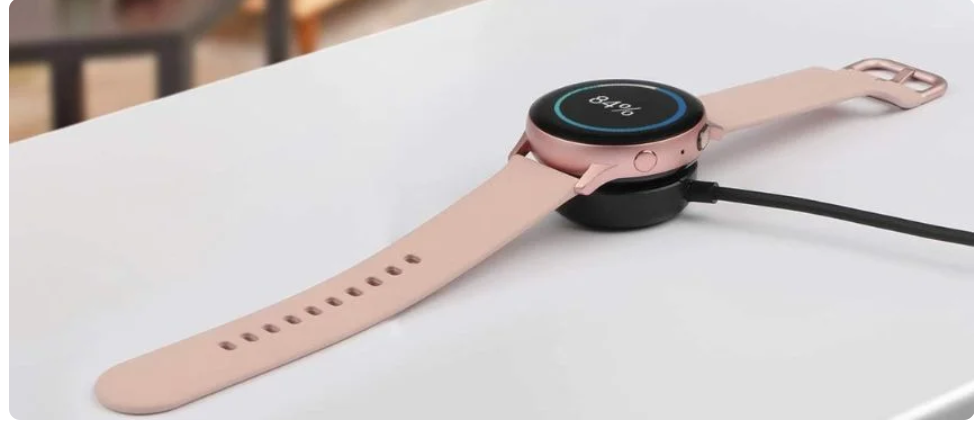
Here’s a quick table of common brands:
| Brand | Model | Charging Time |
| Apple Watch | Series 9 | 1–1.5 hours |
| Samsung | Galaxy Watch 6 | 1–2 hours |
| Fitbit | Versa 4 | ~1 hour |
| Garmin | Venu 2 Plus | 1–1.5 hours |
| Amazfit | GTR 4 | 1.5–2 hours |
So if you plug it in before sleeping, you’ll wake up with 100% on nearly any model.
Should You Charge a Smart Watch Every Night?
It depends on:
- Battery size
- Your usage
- Features enabled (GPS, Wi-Fi, etc.)
If your watch lasts 2–3 days, you don’t need to charge every night. But charging daily ensures peace of mind.
What to Avoid When Charging Overnight?
Here’s a list of no-no’s:
- Charging near liquids
- Charging under a pillow
- Using broken cables
- Charging with sweaty wristbands
- Leaving your watch near sunlight
These might seem small, but they add up and damage your device over time.
What If My Smart Watch Gets Hot While Charging Overnight?
A little warmth is okay. But if it feels hot to the touch, that’s a warning sign.
What You Should Do:
- Remove it from the charger immediately
- Let it cool down
- Check the cable and port
- Try a different power adapter
If overheating continues, it might be time to replace your charger or contact support.
Smart Watch Battery Life Tips for Night Users
If you wear your watch overnight for sleep tracking:
- Charge it before dinner or after breakfast
- Use bedtime mode or Do Not Disturb
- Lower screen brightness at night
- Turn off always-on display overnight
- Disable auto-wake gestures while sleeping
This keeps battery drain low — and you’ll still get all your sleep data.
Is Wireless Charging Safe for Smart Watches Overnight?
Yes — as long as:
- You use a certified charger
- Place it on a flat, non-metal surface
- Avoid moving it around during charge
Most wireless chargers cut off when full, making them safer than wired ones in many cases.
Summary Table: Smart Watch Overnight Charging Guide
| Concern | Solution |
| Overcharging | Use official charger with smart cut-off |
| Battery health | Charge around 20–80%, avoid 0% often |
| Sleep tracking | Charge during non-sleep hours |
| Overheating | Keep away from pillows and heat |
| Charger safety | Avoid third-party, uncertified accessories |
Conclusion: Should You Charge Your Smart Watch Overnight?
In most cases, yes, it’s completely safe.
Just make sure you use:
- A good-quality charger
- A safe charging environment
- Smart habits to protect battery health
By following the simple tips above, you’ll wake up to a fully charged, well-functioning smartwatch that’s ready to go every single day.
FAQs:
1. Can I leave my smartwatch plugged in all night?
Yes. Most watches stop charging automatically when they are full.
2. Will charging overnight damage the battery?
Not if you use the right charger and avoid heat or cheap accessories.
3. How often should I charge my smart watch?
Daily, if you use it heavily. Otherwise, every 2–3 days is fine.
4. Can I use a phone charger for my smart watch?
Only if it’s compatible and certified by the brand.
5. Is wireless charging slower overnight?
Yes, slightly slower, but it’s safer and convenient for overnight use.
Read More: How Do You Reset A Samsung Galaxy Tab?